P5 · OPERATE THE SYSTEM

The gateway is honest when there is nothing behind it.

LIVEv1.0.0 · main 801fc0b · CI greenVerified 2026-08-14

A service gateway for the portfolio: API-key authentication, per-key rate limiting, request-ID propagation, aggregate health, and a read-only status console. The hosted instance runs with every upstream URL empty, so it reports four services as unconfigured instead of inventing four healthy ones. Hire this if you want the operational seam a demo usually leaves out.

HOSTED · no clone, no key

curl https://pax-ai-gateway.vercel.app/health

No clone. Open /health without a key (200). /v1/platform/status is 401 without a header; X-API-Key: dev-local returns gateway up with four unconfigured upstreams and version 1.0.0. Main 801fc0b / v1.0.0.

LIVE

Every line here is backed by a test, a route, or a file in the repository at v1.0.0 · main 801fc0b · CI green.

  • GET /health open with no header, and GET /v1/platform/status behind X-API-Key — 200 and 401 respectively, both observed on 2026-08-14.
  • A read-only status console at the root that reports gateway up and each upstream's real state.
  • Per-key rate limiting as an in-process fixed window, request-ID propagation, and structured logs that mask credentials.
  • GET /metrics in Prometheus text, verified 200 on the hosted instance.
  • Docker Compose for the whole stack, plus Vercel entrypoint shims in api/index.py and main.py at main 801fc0b, the commit main serves after the v1.0.0 weeks-depth merge.
  • Credential-free mocked checks in CI, with upstream URLs empty so the four services report unconfigured there too.
  • Request journal, complete OpenAPI contract, NullTracer/OTel seam, and one limiter protocol (memory default, Redis opt-in) at main 801fc0b.
NOT SHIPPED

The boundary, stated before you find it yourself. Nothing below is presented as built, hidden in a footnote, or described as coming soon.

  • The hosted instance is the gateway alone. It does not run P1-P4 for a visitor, which is exactly why the console shows four unconfigured upstreams.
  • Rate limiting is an in-process fixed window per isolate, not a distributed limiter. A client spread across warm isolates can exceed the advertised limit in aggregate.
  • /metrics reports one isolate's slice of traffic, not a fleet total, and isolates recycle, so counters reset without warning.
  • dev-local is a public fixture key committed to the repository, not a credential, and it grants nothing beyond the status route.
  • fly.toml remains in the repository as an alternate Docker path; Fly is blocked on billing and Vercel is the live host.

Capture

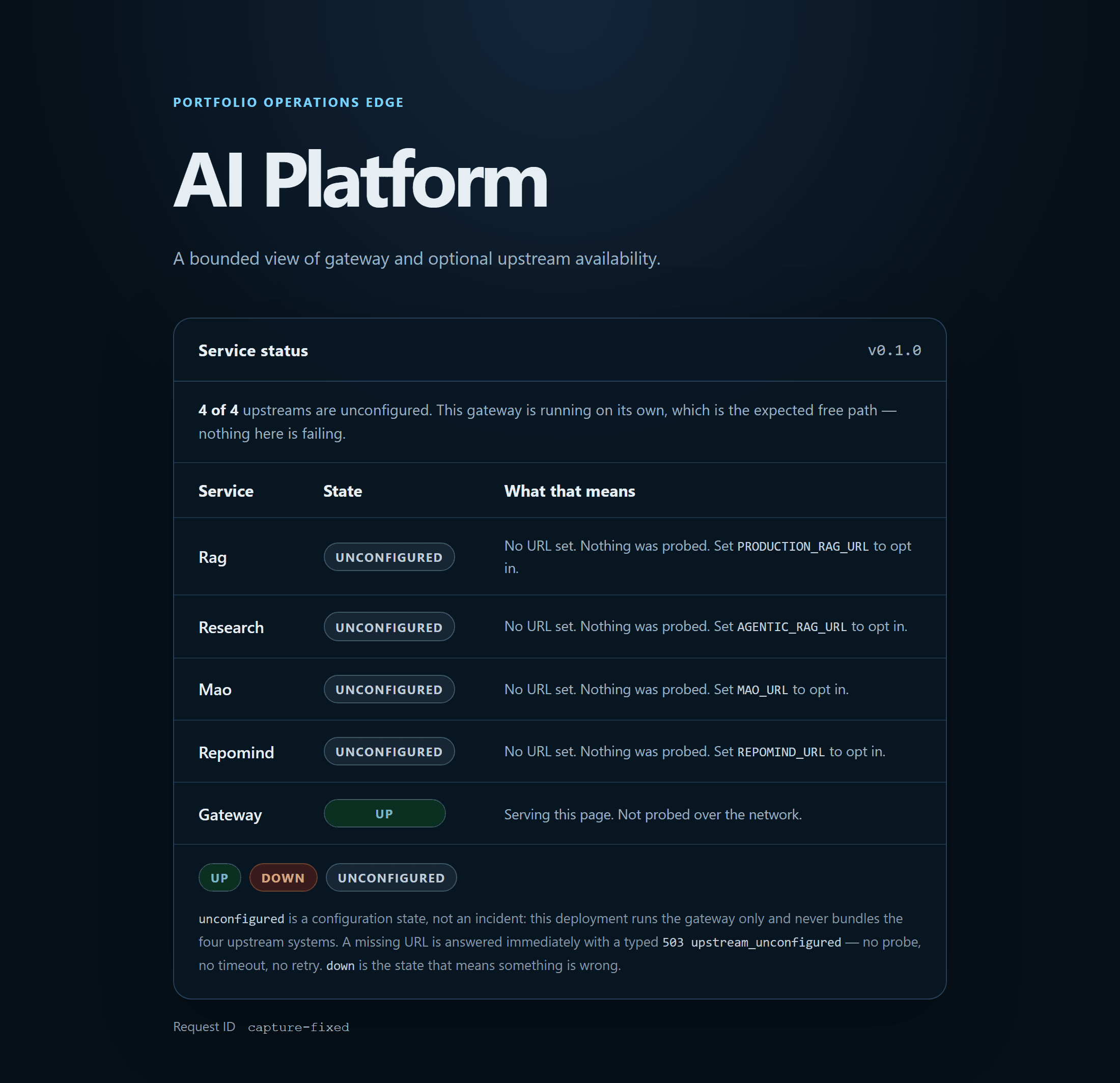
One image from the repository at the commit named in the caption.

AI Platform status page reporting the four upstream services as unconfigured
The gateway is honest when nothing is behind it: four upstreams, unconfigured. Source file

INTERVIEW THIS SYSTEM

Three questions worth asking, and the answers I would give.

Published in advance, because a trade-off I can only defend when nobody has read it first is not a trade-off I understand.

  1. 01

    Why does the status page report unconfigured rather than down?

    Down means something was expected to answer and did not — that pages someone. Unconfigured means nobody pointed the gateway at an upstream. Merging the two turns a deliberate free-path deployment into a permanent false alarm.

  2. 02

    Your rate limiter is in-process on serverless. Why ship a limiter you know is not global?

    Because the alternative is either no limit or a Redis the free tier does not include. The per-isolate window is real protection against a single hot caller, and the README states the aggregate can be exceeded, so nobody builds a capacity plan on a number that will not hold.

  3. 03

    How do you keep the site from citing a commit the deployment does not run?

    The card cites the commit origin/main reports (801fc0b), not an older green one. The site waited through the red window at 2fd74c7 and the earlier Vercel pin at eba1e22; this refresh tracks the weeks-depth merge on main.

Keys

How to turn the pages

On
15
Open a chapter
g h
Home
g i
Interview kit
g s
Studio
/ or CtrlK
Jump: type a word, not a command
?
This page
Esc
Close it again

Chapters

  1. 1
    01 Production RAGRetrieve and answer honestly
  2. 2
    02 Agentic ResearchAct with tools under budget
  3. 3
    03 Multi-Agent OrchestrationCoordinate specialists
  4. 4
    04 RepoMindUnderstand codebases
  5. 5
    05 AI PlatformOperate the system

Keys sleep while a field has focus, so typing a g into the jump box types a g.